Linux Kernel Tuning & AI Log Security Audit: Built-In Ops Toolbox
Table of Contents
For independent site owners and small dev teams, launching a site is only step one—post-launch concurrency tuning, log security audits, and broken-link cleanup consume just as much effort. cms studio embeds high-frequency ops tools directly inside the admin Tools menu.
1. 1-Click Linux Kernel High-Concurrency Tuning
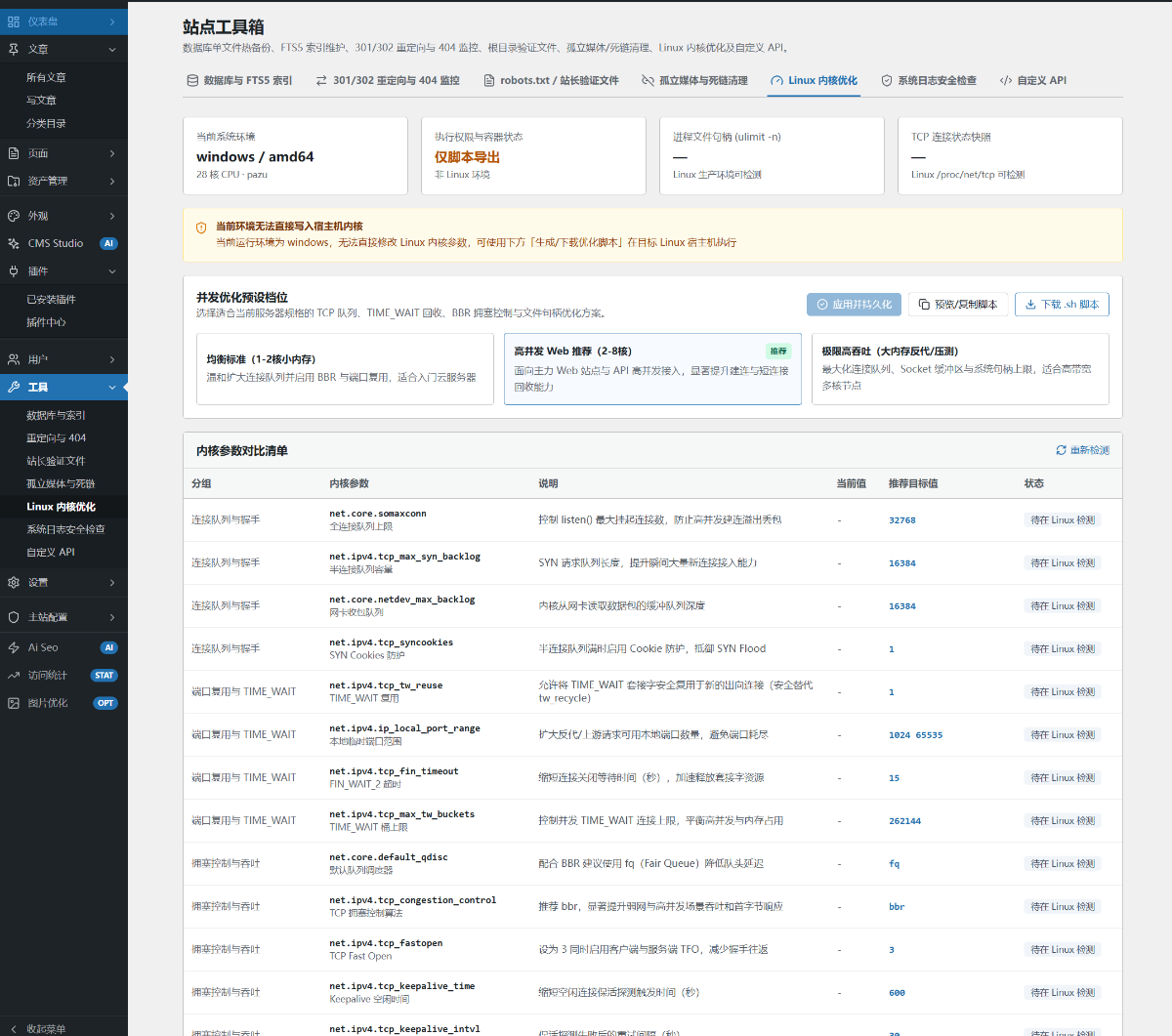
On Linux, opening Tools → Linux Kernel Optimization automatically inspects key /proc/sys networking and file-descriptor parameters (such as somaxconn, tcp_tw_reuse, and rmem_max) and offers three presets:
- Balanced: Ideal for daily blogs and small-to-medium traffic, safely expanding connection queues.
- High-Concurrency Web: Optimizes TCP port reuse and buffers for high-QPS content and asset delivery.
- Extreme Throughput: Built for high-traffic edge nodes, with 1-click apply to
/etc/sysctl.d/99-cms-studio-concurrency.conf, 1-click rollback, or offline.shexport.
2. AI Security Audit for Linux System Logs
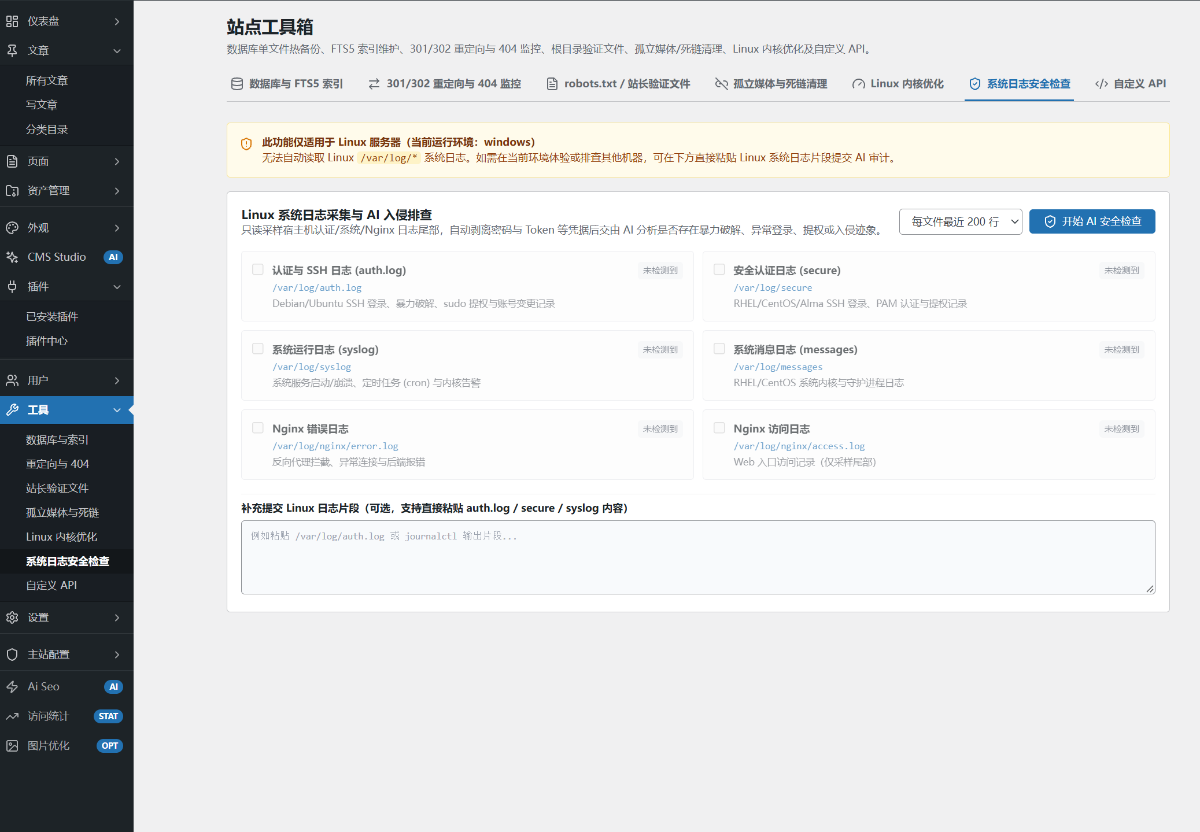
To investigate SSH brute-force attempts or anomalous scans, administrators can sample tail logs in one click (auto-reading /var/log/auth.log, secure, syslog, nginx/*.log, and last -n 15, or pasting custom snippets). The kernel masks sensitive credentials first, then lets the AI engine output risk severity, suspicious IP behavior profiles, and actionable hardening commands.
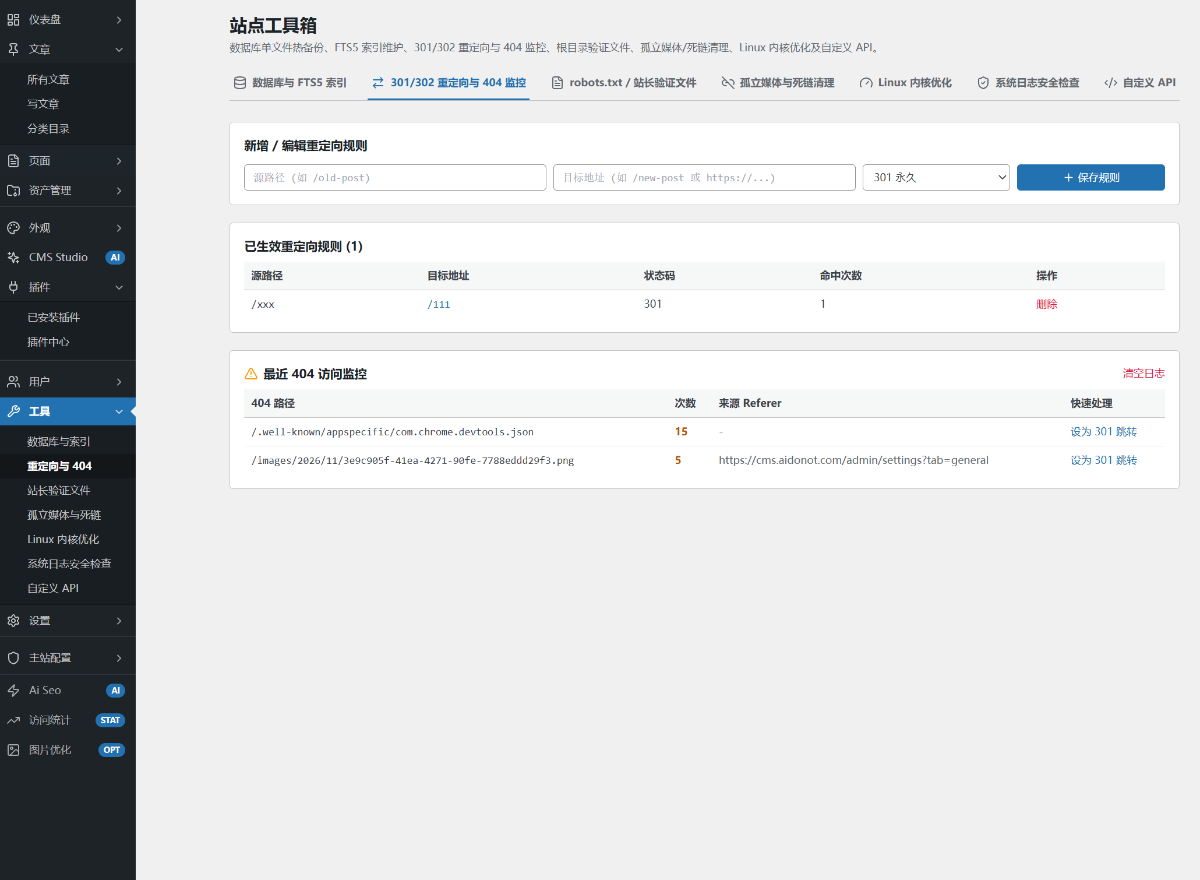
3. Redirects, 404 Monitoring & Site-Root File Hosting
The toolbox also includes 301/302 URL redirect management, real-time 404 dead-link ranking, online hosting for robots.txt / ads.txt / llms.txt, orphaned media cleanup, and site-wide broken-link scanning—all inside your browser.