
Theme & WoW-Style Plugin Development Guide: 1:1 Typography & Sandboxed Extensions
Table of Contents
To let developers customize frontend visuals freely while extending backend business logic safely, cms studio decouples its theme engine and plugin system into two clean specifications.
1. Theme Development & the 1:1 Editor Style Contract
You can use the built-in themes/default model theme as a scaffolding reference (or read the full manual under Appearance → Theme Design Docs). A standard theme includes:
theme.toml: Declares theme metadata and configurable options such asprimary_colorandshow_sidebar.assets/css/style.css+editor.css: The former defines design tokens and.prosetypography, while the latter targets only the editoriframeto guarantee 1:1 frontend/backend visual parity.locales/*.toml: Covers all 7 language dictionaries (zh,en,ja,ko,de,fr,es), working seamlessly withget_languages()andhome_url().
2. WoW-Style Plugin Sandbox & Microfrontend Slots
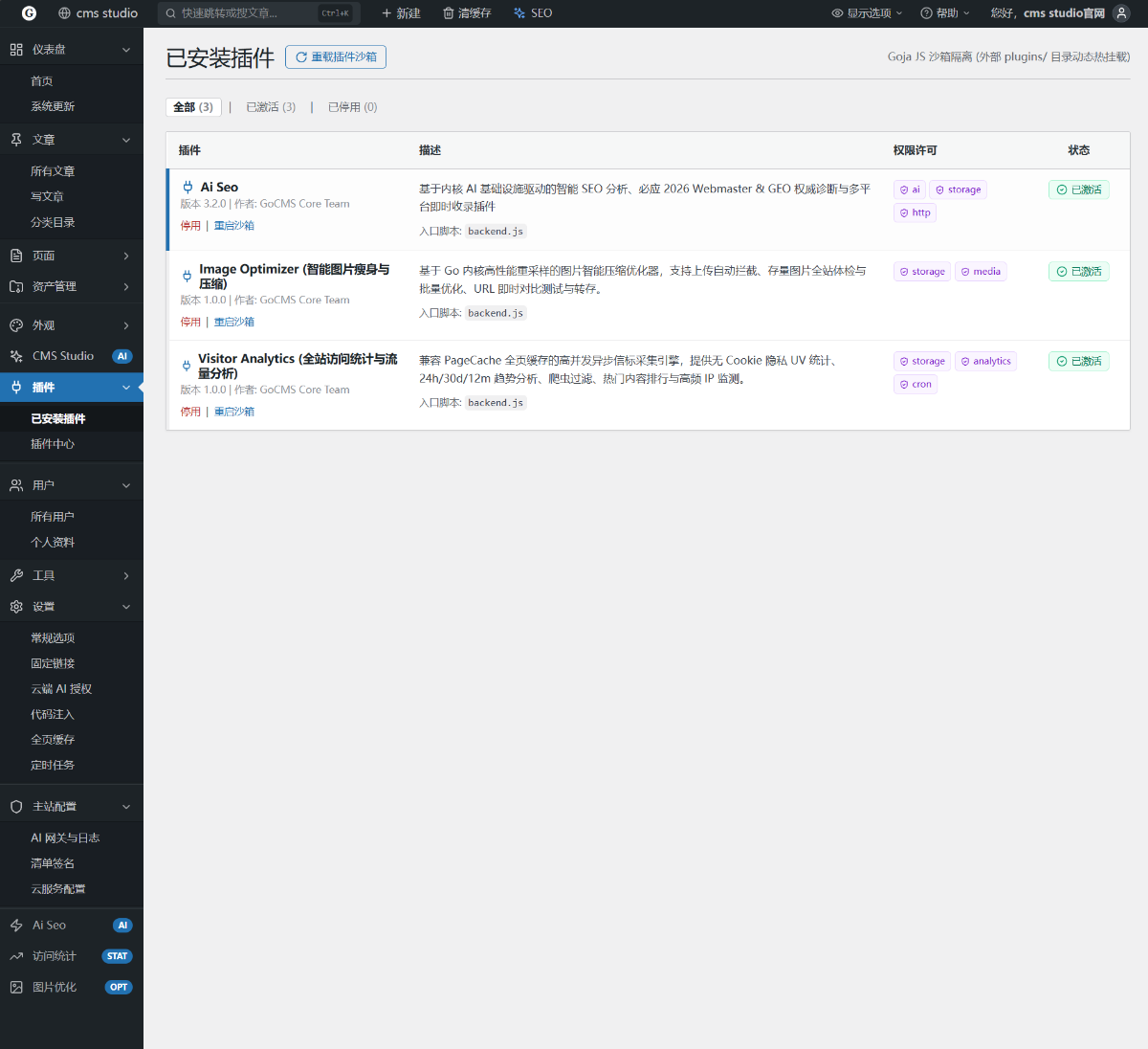
Plugins live under plugins/<id>/ with a declarative plugin.json manifest specifying permissions (e.g., ai, storage, analytics, cron) and UI slots (admin.menu, dashboard.widget, editor.inspector.tab, editor.block).
Backend scripts execute inside a timeout-guarded Goja ES6 sandbox and persist data into private plugins/<id>/<id>.db SQLite files; frontend extensions bundle via Vite into standalone ESM modules loaded on demand. Our built-in Ai Seo, Image Optimizer, and Visitor Analytics plugins all follow this exact architecture.